

Operator workflow
The right crew.The right mission.Ready to fly.
Find qualified pilots, verify readiness, and coordinate crew assignments in one connected aviation platform.
- Staffing requests
- Explainable matches
- Credential review
CrewLinkAI mission view
Request → Match → Review → AssignHow CrewLinkAI works
From staffing request to coordinated crew
A focused workflow for business aviation operators and contract pilots—built on explainable matching, not opaque automation.
- 1
Create a request
Operators publish aircraft, route, dates, role, and minimum experience for the trip.
- 2
Find qualified candidates
CrewLinkAI ranks pilots on qualifications, availability overlap, proximity, and experience.
- 3
Review readiness
Review scores, missing requirements, uploaded credentials, and document review status—operators set verification status in-app.
- 4
Coordinate assignment
Message, shortlist, and move requests through your workflow. CrewLinkAI does not auto-assign crew.
For operators
Post the trip, then review ranked pilots.
Your next step is to sign in, open the operator dashboard, and create a staffing request with aircraft, route, dates, role, and minimum experience. CrewLinkAI searches pilots who published profiles on the network and ranks matches you can explain to your team.
From there, review match scores and missing requirements, open pilot profiles, upload and review credential documents, and message pilots about the trip. Status moves through open, reviewing, and filled as you work the request—CrewLinkAI does not auto-assign crew.
CrewLinkAI supports staffing decisions. Operators remain responsible for credential review, compliance, and hiring decisions.
Start as an operator →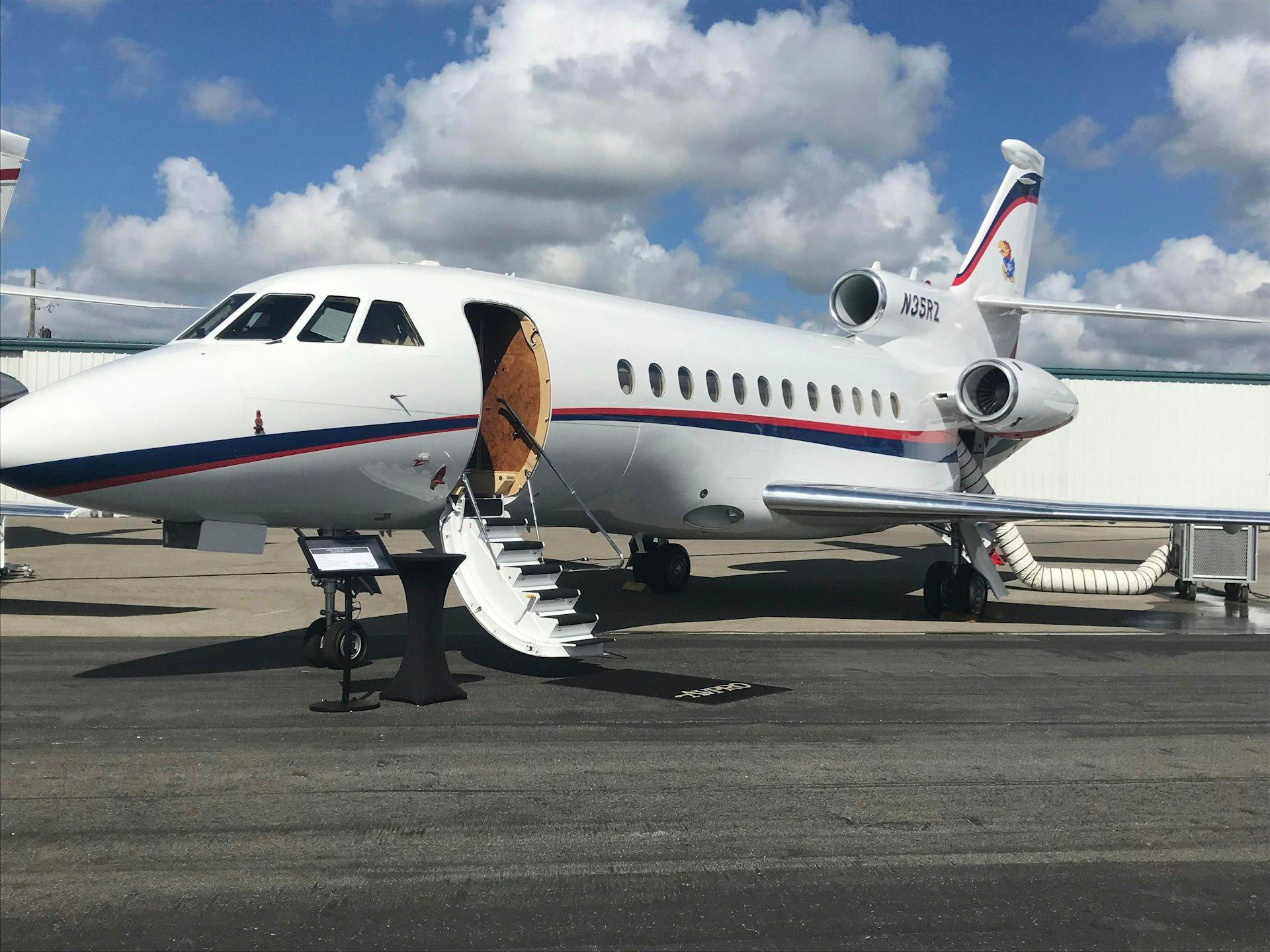
For pilots
Keep qualifications current, then review scored trips.
Sign in, choose the pilot experience during account setup, and complete your profile: aircraft experience, type ratings, certificates, home base, availability windows, and uploaded credential documents.
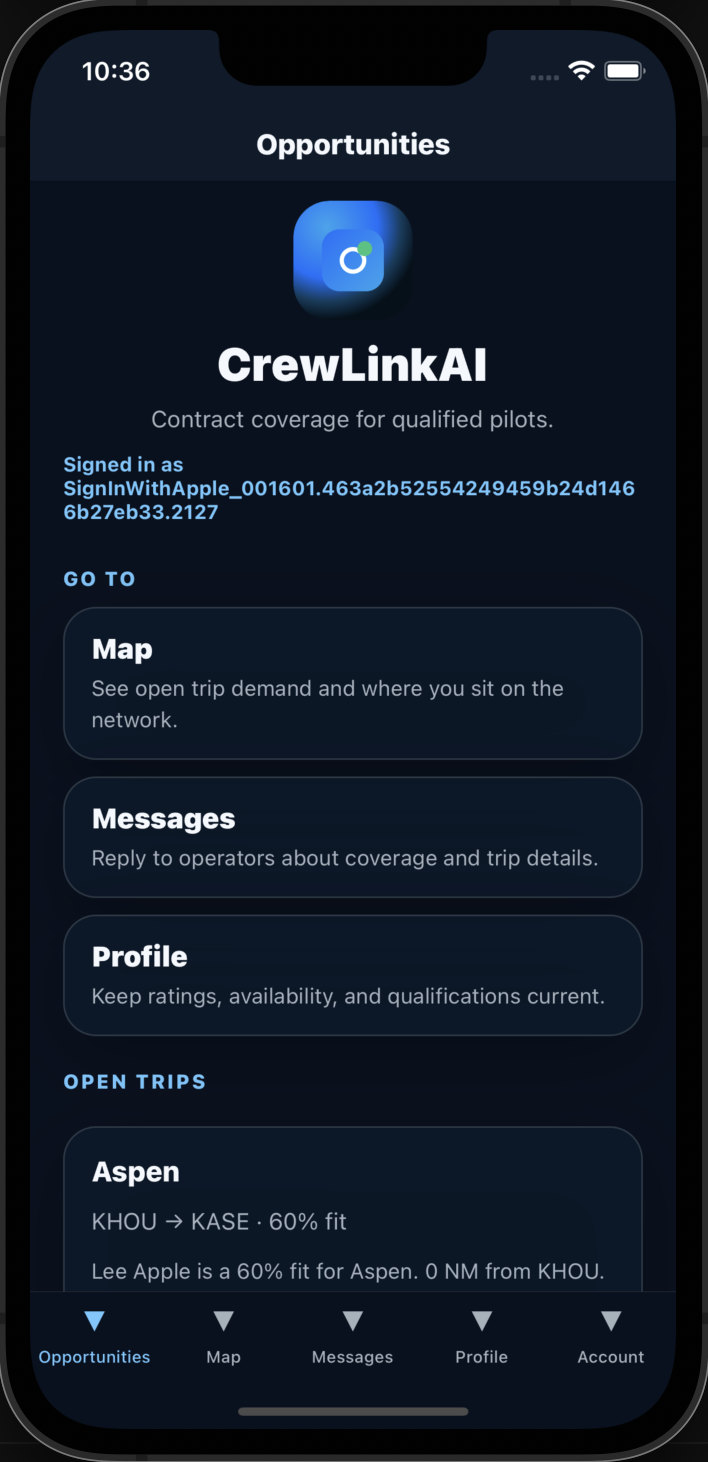
Open opportunities to see staffing requests ranked for fit. Each match shows score factors, distance to departure, and gaps such as missing ratings or documents awaiting review. Reply through messaging when an operator reaches out—you control what you share on the network.
Pilots control what they share on the network. Operators remain responsible for final hiring and compliance.
Start as a pilot →
How matching surfaces fit
For each staffing request, CrewLinkAI scores pilots on qualifications (aircraft, type ratings, role, uploaded credentials, document review status), availability overlap, proximity to the departure airport, and experience minimums. Missing requirements stay visible alongside the score.
Staffing request
G650 PIC · KTEB · May 18–21
Ranked pilot
Demo pilot · PIC
90illustrative total (out of 100)
- Qualifications60/70
- Availability15/15
- Proximity10/10
- Experience5/5
Called out gaps: Document verification requires review
Matching ranks candidates for review; it does not guarantee staffing or replace operator hiring decisions.
Qualifications, availability, and conversation
The same data pilots maintain in their profiles powers discovery, matching, and messaging—without leaving the platform for basic coordination.
Profile and documents
Pilots record ratings, medical class, hours, and contract preferences, and upload typed credential documents. Operators see profile fields and document status when reviewing matches.
Availability windows
Availability marks available, standby, or limited date ranges. Matching favors overlapping windows with the trip dates.
Staffing request
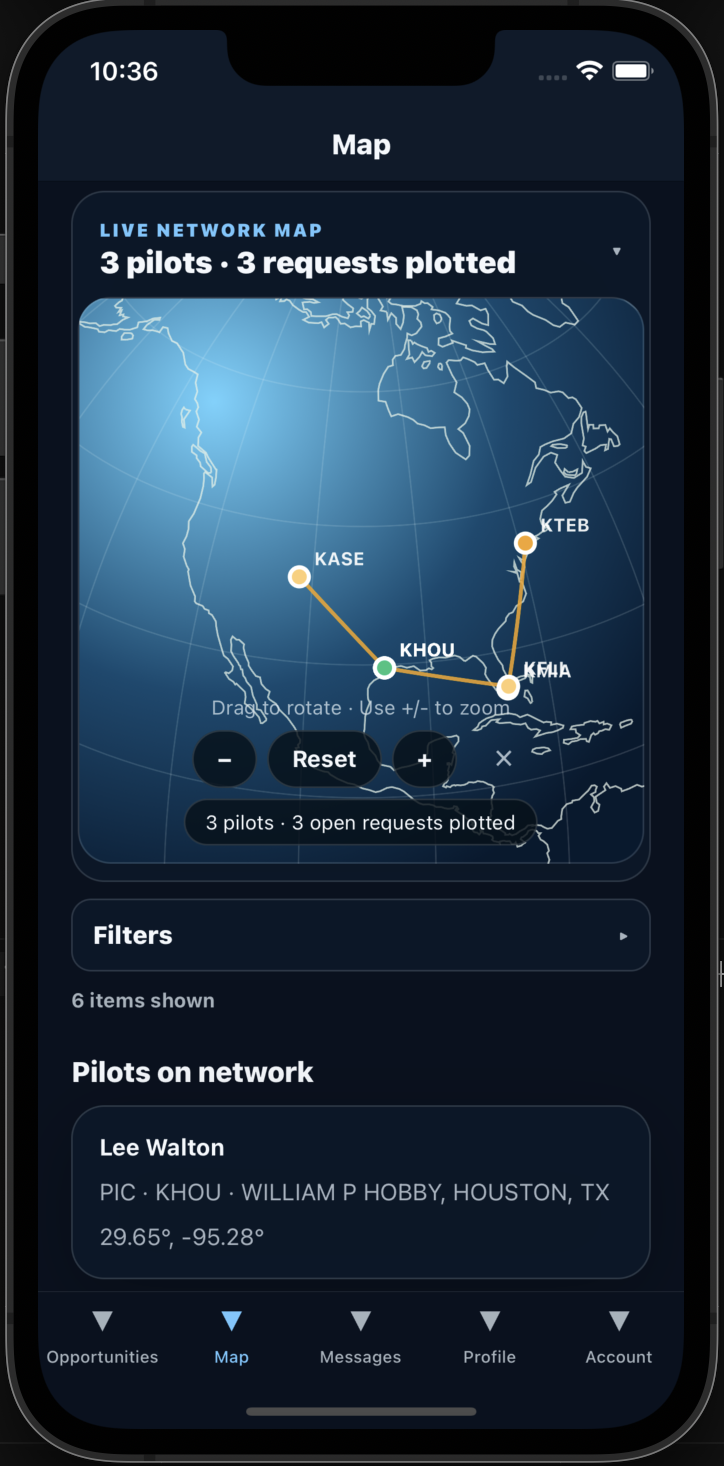
Operators define the mission requirements and publish an open request. Matches and the map view reflect live network data you are permitted to access.
Messaging
Direct messages connect operators and pilots about trip details, with notifications on supported mobile clients.
Credentials and verification
Self-reported: Most profile fields—hours, preferences, availability, and home base—are entered by the pilot unless augmented by an optional LogbookAI link.
Uploaded evidence: Pilots upload credential files (pilot certificate, medical, passport, and related types). These files are stored for operator review, not public download on the marketing site.
Platform review status: Operators with access can mark document status as verified, needs review, or expired and attach verification notes. That status feeds matching but is not independent third-party FAA verification.
LogbookAI link: When connected and verified, operational snapshots from LogbookAI can inform eligibility views; conflicts or stale data are labeled in the app.
Pricing and access
CrewLink AI by Aviation AI Solutions LLC is in early access. Operator pricing is expected to cover staffing request management, pilot discovery, explainable matching, messaging, and credential review workflows. Pilot profile and opportunity visibility may remain free during early access, with optional paid tiers possible later.
Plans, included features, and prices may change before general-availability billing; material changes will be communicated before they apply to paid accounts.
Read full pricing terms →FAQ
Does CrewLinkAI verify FAA certificates independently?
No. Pilots upload documents and profile details; operators review materials and set document status (verified, needs review, or expired) inside the platform. Optional LogbookAI linking can surface operational data when a pilot connects a verified logbook account.
Will matching guarantee a qualified crew or a booked trip?
No. Matching scores rank pilots against a staffing request using qualifications, availability, proximity, and experience factors. Operators and pilots still decide whether to message, shortlist, or accept work.
What does early-access pricing look like?
CrewLinkAI is in early access. Operator plans are expected to cover staffing requests, discovery, matching, and messaging; pilot profiles may remain free during early access. See the pricing page for current terms.
Do I need separate accounts for operating and flying?
You sign in once, then choose operator, pilot, or both during account setup. Operator tools and pilot profile areas use role permissions from that selection.

Choose your next step
Aviation AI Solutions
Complementary tools in one ecosystem
CrewLinkAI focuses on contract crew staffing. LogbookAI and FlightScanAI address adjacent operational needs—only describe integrations that your account actually enables.
CrewLinkAI
Staffing requests, explainable pilot matching, messaging, and credential review workflows.
LogbookAI
Optional verified logbook linking can surface operational snapshots for pilots who connect an account—conflicts and stale data are labeled in-app.
FlightScanAI
Sibling product for live flight tracking and area surveillance—separate sign-in and subscription from CrewLinkAI.
Web and iOS companion
Operators typically work from the web dashboard, map, matches, and messages. The iOS companion supports map, requests, messaging, and pilot profile updates with the same account.
Request a demo
Tell us about your fleet, staffing workflow, and coverage gaps. For pricing questions, include fleet size and request volume.